How to turn a photo into an illustration with AI
Give a favorite photo a colorful, hand-painted look. Here’s how Picmorrow transforms one photo into an illustration—and how to choose a photo that works well.
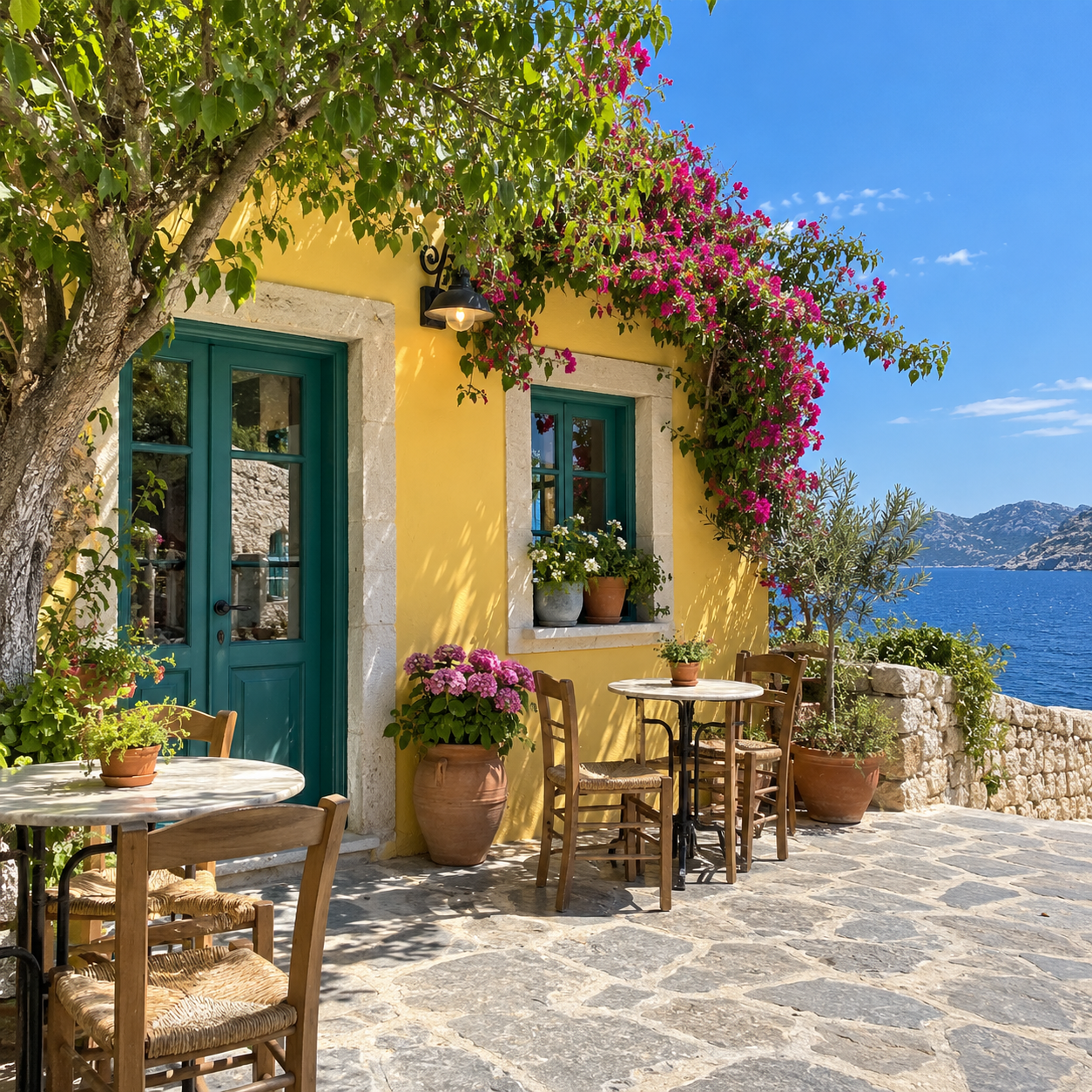
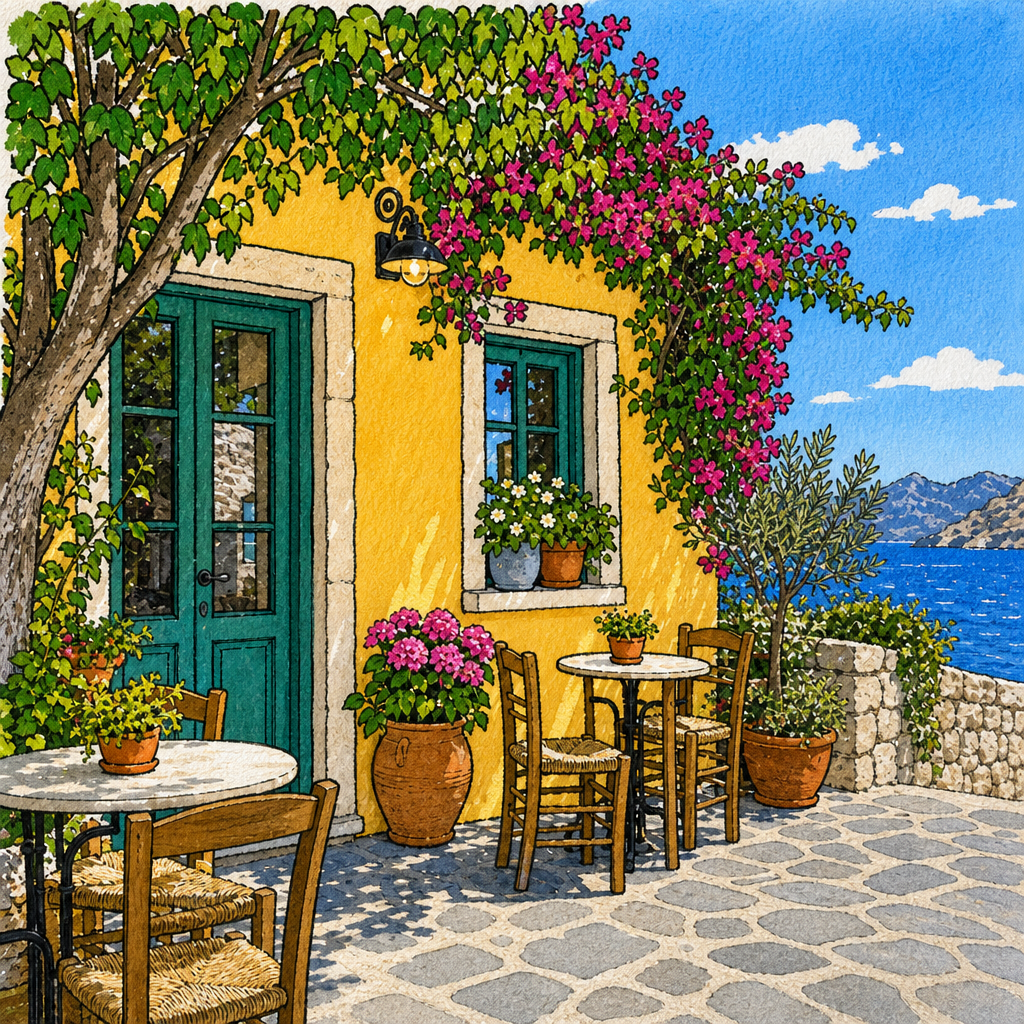
Example created with a synthetic photo using Picmorrow’s AI illustration process. Results vary.
What is photo-to-illustration?
Photo-to-illustration uses an image generation model to reinterpret a photograph as artwork. Picmorrow focuses on a colorful, hand-painted-style look with simplified shapes and drawn outlines. The AI creates a new interpretation, so small details can change and every result can differ from the example.
How to create yours
- Choose a photo. Upload a JPG, PNG or WebP file up to 8 MB. A pet, a favorite place or an everyday moment can make a thoughtful subject.
- Pay once. Each illustration costs US$0.99, including applicable tax. Stripe may offer local-currency payment; there is no subscription or account required.
- Download your illustration. After payment is confirmed, AI generates one 1024 × 1024 PNG without a watermark. Download it on your order page or use the private link emailed to your checkout address.
Tips for choosing a photo
- Choose a clear, well-lit image where the subject is easy to see.
- Keep important details within the frame. The output is square, so the composition may change.
- Try a photo with a distinct subject, such as a pet, a building or a favorite corner of a room.
- Use a photo you have permission to upload. Avoid including sensitive details you do not want processed.
What happens to your photo?
Your upload is stored even if checkout is not completed. After payment, it is sent to OpenAI for generation. Uploaded and generated files are scheduled for deletion seven days after each file is saved; deletion can take longer. The private download link expires seven days after ordering. Order records are retained for payment and support.